The safety smartwatch: Safety-ID on Amazfit
Updated August 2026 · by Dynamic ID S.r.l.
A watch the worker would wear anyway is the least rejected safety device there is: it is not one more object to remember, it does not get in the way of gloves and it does not get left in the locker. That is why we brought Safety-ID to Amazfit smartwatches, with an application each worker installs by scanning a code.
What the worker sees
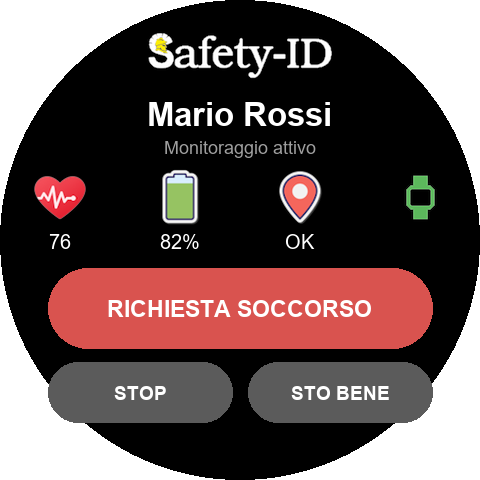
The watch face during the shift.
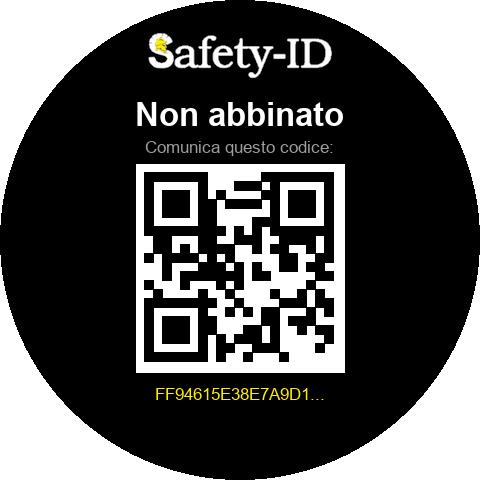
On first launch, until somebody pairs it.
The face shows the worker name and four indicators side by side: heart rate, remaining charge, position status and whether the watch is actually on the wrist. They sit side by side rather than in a list for a practical reason: a wrist is glanced at, often through gloves and against the light, and a row of icons is taken in at once while a list has to be read.
Below sits the red rescue request button, large enough to be pressed with work gloves, with a confirmation before sending: a button that fires at the first knock against scaffolding would send rescuers out for nothing, and after twice nobody would take the third one seriously.
Pairing, without going through us
The application is installed from a QR code and on first launch shows a unique code generated on the watch. Whoever keeps the worker records enters it in the worker's file, and from that moment the watch is theirs. Until it is paired it transmits nothing: a device that belongs to nobody must not produce data.
What it sends, and how often
With the application closed, a background service keeps sending heart rate, battery charge, wear status and position. The frequency, which data to send and the alarm thresholds are decided per company from the management console, not on the watch: they change for every worker without reinstalling anything.
The pre-alarm, and why it matters more than the alarm
When the heart rate leaves the configured range, the watch warns the worker first: it vibrates and shows a message. If it is not silenced within the set time, the alarm becomes real and goes out on the configured channels — push notification, WhatsApp, Telegram, SMS, e-mail and a spoken voice call — with the link to the position on the map.
The step from pre-alarm to alarm is not a detail: it is what separates a system that gets used from one that is switched off after a month. A high heart rate may simply mean a flight of stairs, which is why we require several consecutive readings out of range before accepting that something has happened.
The limits, stated up front
We would rather declare them than let them be discovered after the purchase.
- GPS is not available to services running in the background: that is a choice of the watch operating system, not ours. Position is acquired while the application is open — including the moment the rescue button is pressed, which is the one that counts — and always travels with an indication of how old it is. Past the threshold it is not sent at all: better no position than sending rescuers where the worker was an hour ago.
- The real minimum transmission interval is one minute, because the background environment grants no finer timers.
- For continuous outdoor positioning a company smartphone or LoRaWAN tags remain more suitable; the watch is at its best where BLE gateways are installed, that is inside defined work areas.
When it is worth it
It is worth it when the worker is already used to wearing a watch, when heart rate matters alongside position, and when a rescue button must be always within reach without digging into a pocket. It does not replace BLE transponders on PPE nor the gate at the entrance: it adds to them, and covers the hours when the worker is far from everything else.
Keep reading
- Real-time location (RTLS): when you really need it
- PPE inspection records: how to keep them defensible
- PPE and electronics in ATEX areas
This page is informative and does not replace the assessment of your safety adviser.